Google Stitch to Flutter: The 2026 Blueprint for Instant UI Code
Generative AI has solved the "blank canvas" problem for designers. But for developers, turning a stunning Google Stitch mockup into a logical, performant Dart codebase remains a frustrating bottleneck.
Here is how to fix the design handoff once and for all. This blueprint will guide you through connecting your AI-native design workflow with a mobile source code compiler, allowing you to extract clean, highly optimized Flutter Dart code that strictly follows best practices.
Inside this guide
1. The Generative UI Hype: Google Stitch
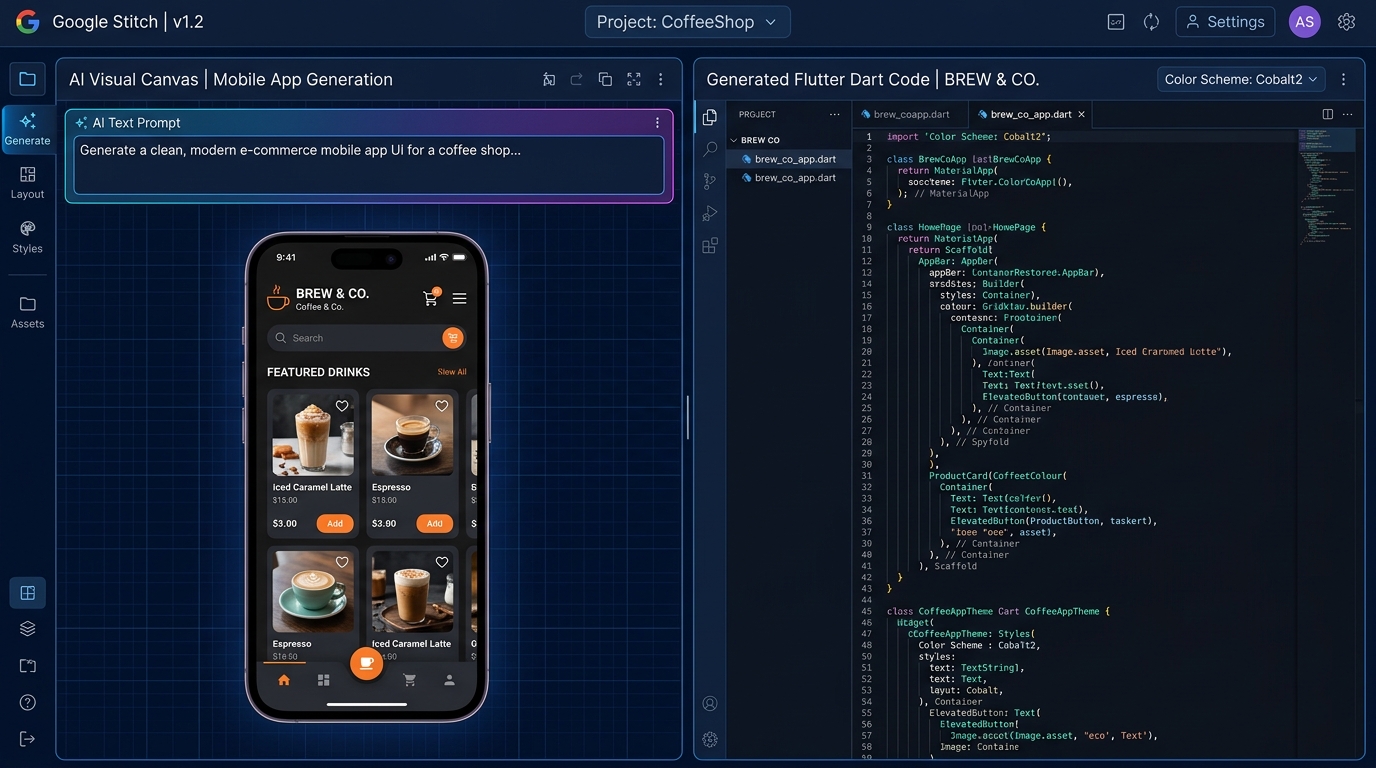
If you've played with Google Stitch, you know it feels like magic. By simply typing a prompt like "A modern crypto dashboard with dark mode", Google's Gemini model powers a highly polished, interactive mockup in seconds. It's the ultimate tool for rapid prototyping and Flutter UI generation.
But a mockup is just a picture. To a machine, it’s a collection of absolute pixels. To a Flutter application, it needs to be a dynamic, state-aware tree of Widgets.
2. The Flutter Translation Problem
The core issue with Google Stitch design handoff is the paradigm mismatch. When developers try to manually copy a generated design, or use basic export plugins, they run into massive headaches:
- Absolute Chaos: Generic exporters rely on absolute positioning, instantly breaking your app on different phone sizes and orientations.
- Widget Soup: You end up with 15 nested
ContainerandPaddingwidgets just to center a single text string on the screen. - Non-Native Logic: Lack of native Flutter constraints like
Expanded,Flexible, or properMainAxisAlignmentusage.
3. How CodeTea Bridges the Gap
We built CodeTea specifically to solve this. Instead of a naive visual rip, CodeTea performs deep spatial analysis on the exported design. It understands your layout intent. It looks at three elements aligned horizontally and says: "This shouldn't be three absolutely positioned blocks; this is a Row with MainAxisAlignment.spaceBetween." By mapping AI graphics to native Dart structures, you can confidently convert AI design to Dart without technical debt. This is the fastest path from AI UI to Flutter code on the market.
4. The 5-Step Conversion Workflow
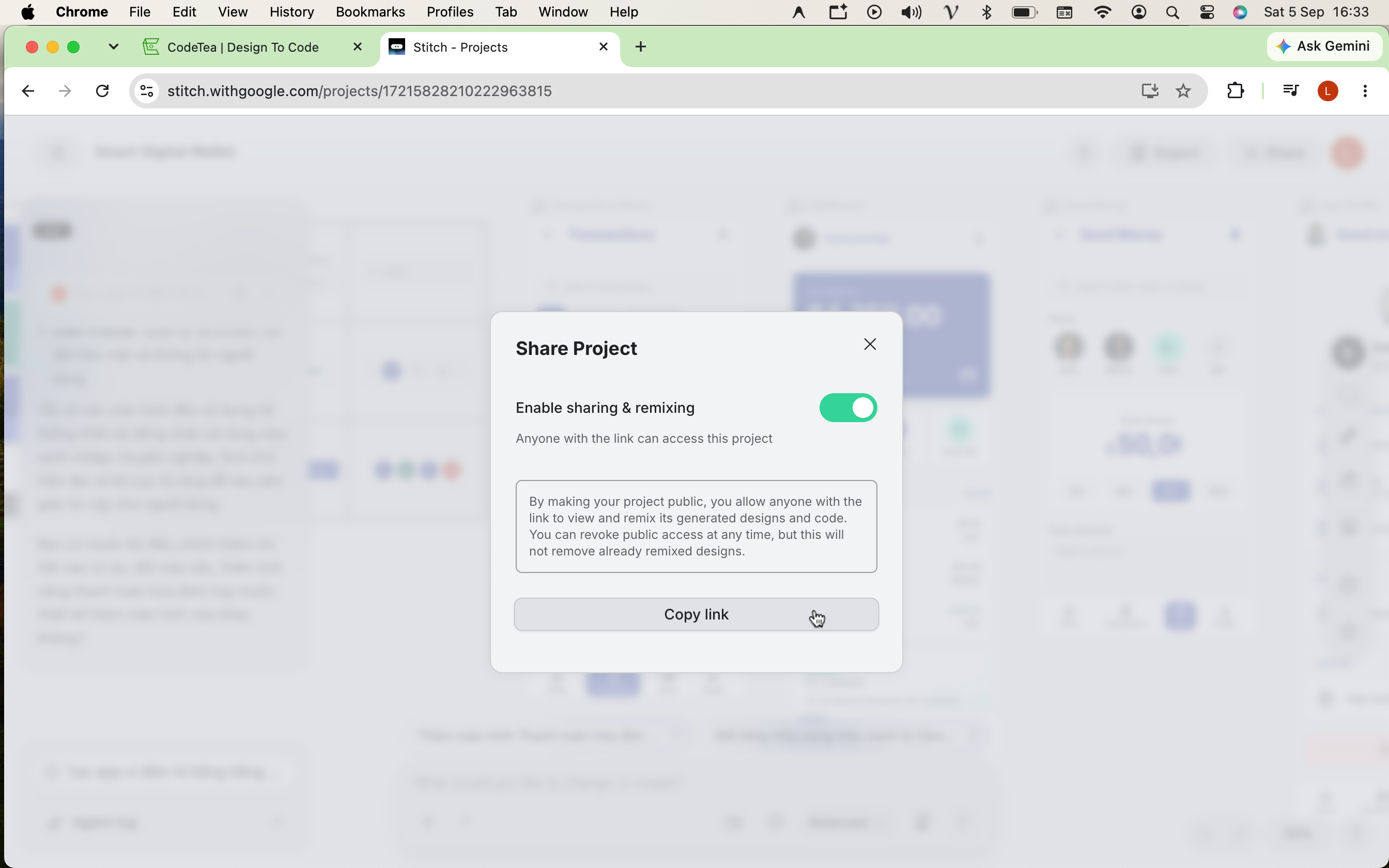
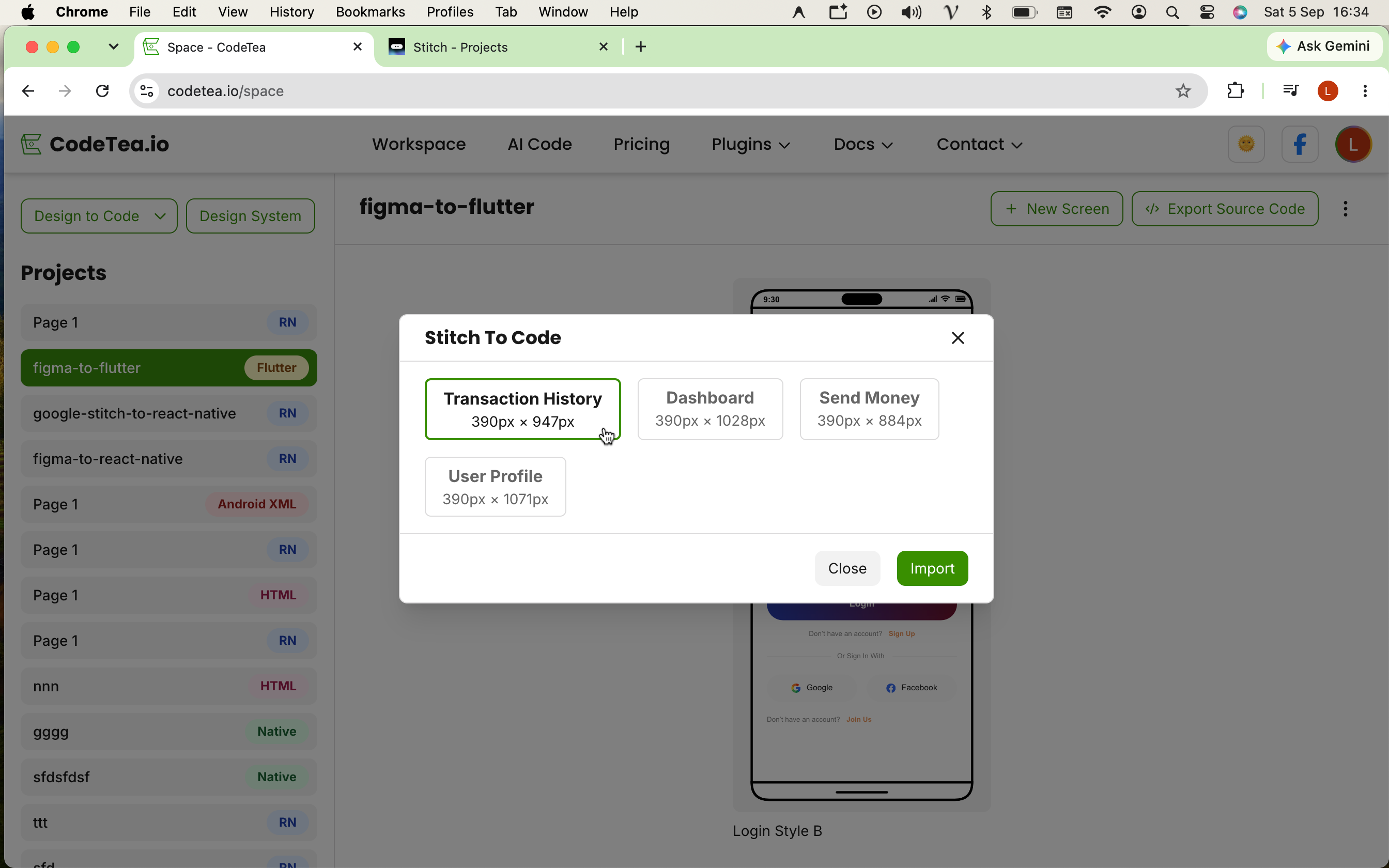
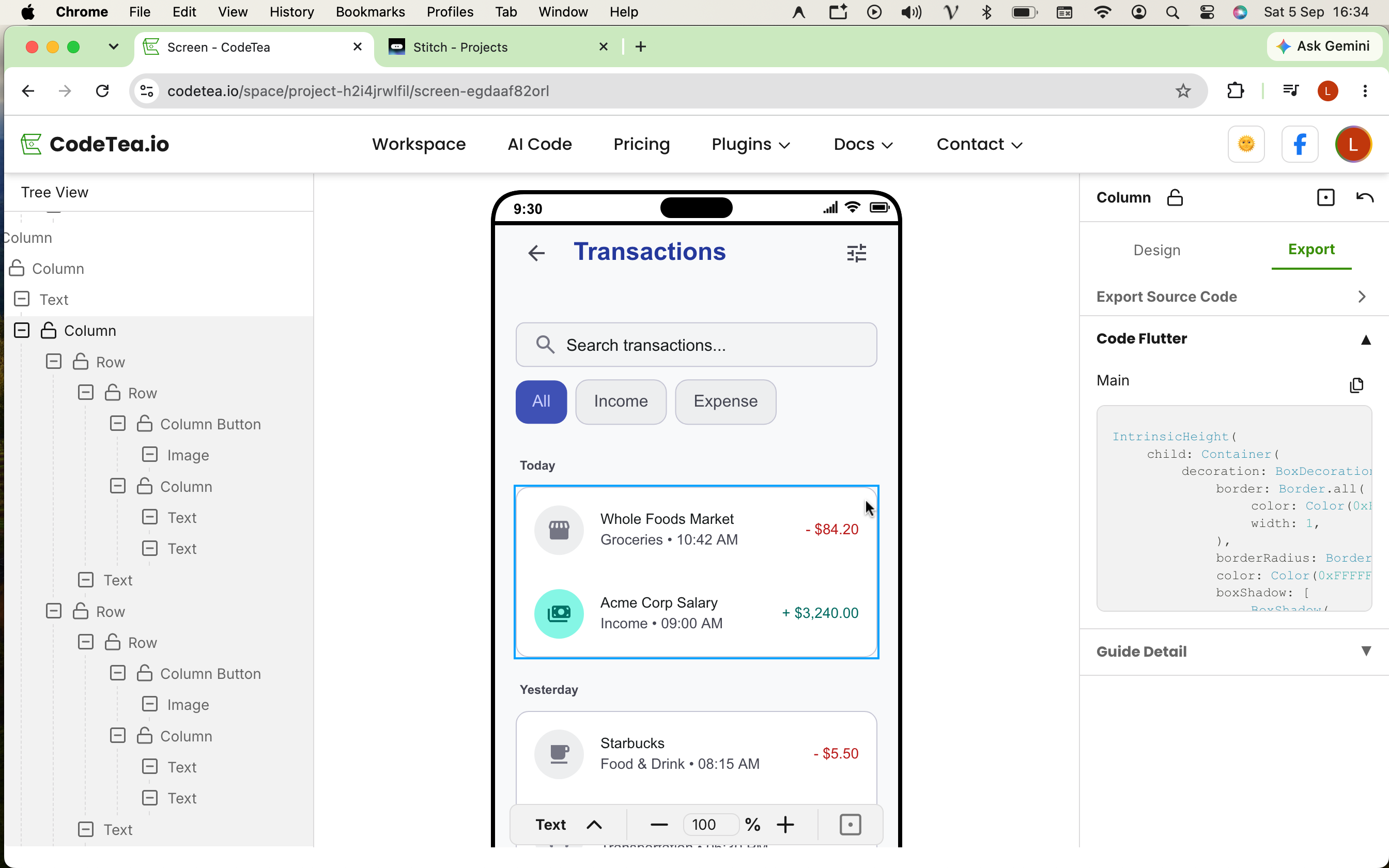
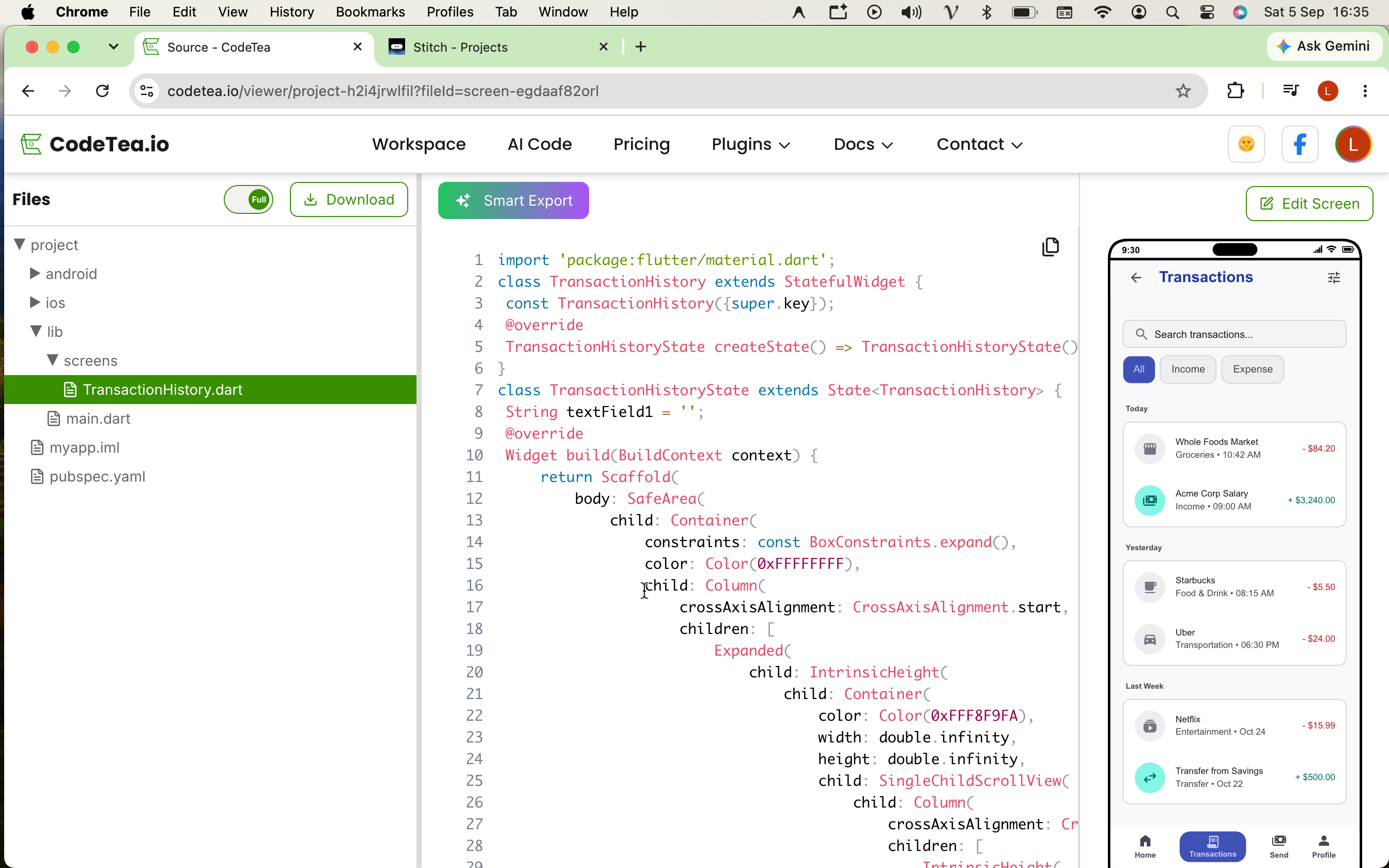
Step 1: Finish your generative UI prompt in Google Stitch and copy the project share link.
- Step 1: Get the Google Stitch link: Finish your generative UI prompt in Google Stitch and copy the project share link.
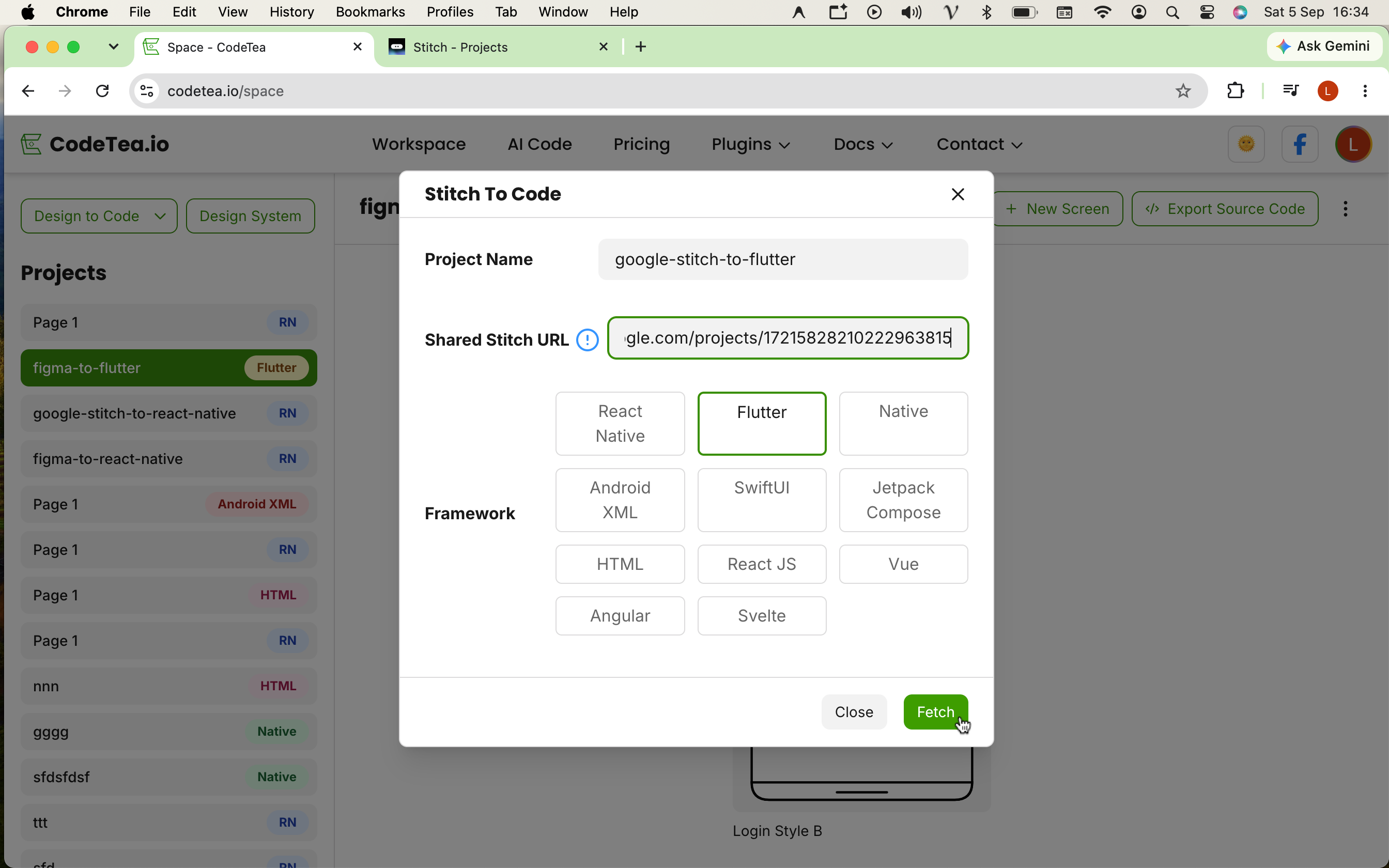
- Step 2: Initialize in the system: Paste the Google Stitch link into CodeTea and choose Flutter as your framework.
- Step 3: Select the target Screen: Our AI engine parses the layout and builds the Widget tree.
- Step 4: Extract Individual Components: Inspect individual Flutter components.
- Step 5: Export the Entire Screen: Export the whole screen flawlessly into a clean Flutter Widget tree.
import 'package:flutter/material.dart';

// Auto-compiled by CodeTea from Google Stitch
class CryptoDashboard extends StatelessWidget {
  const CryptoDashboard({super.key});

  @override
  Widget build(BuildContext context) {
    return Scaffold(
      backgroundColor: const Color(0xFF121212),
      body: SafeArea(
        child: Column(
          crossAxisAlignment: CrossAxisAlignment.start,
          children: [
            _buildHeader(),
            const SizedBox(height: 24),
            Expanded(
              child: _buildPortfolioList(),
            ),
          ],
        ),
      ),
    );
  }

  Widget _buildHeader() {
    return Padding(
      padding: const EdgeInsets.symmetric(horizontal: 20.0, vertical: 16.0),
      child: Row(
        mainAxisAlignment: MainAxisAlignment.spaceBetween,
        children: const [
          Text(
            'Portfolio',
            style: TextStyle(
              fontSize: 28,
              fontWeight: FontWeight.bold,
              color: Colors.white,
            ),
          ),
          CircleAvatar(
            backgroundImage: NetworkImage('https://codetea.io/avatar.png'),
          ),
        ],
      ),
    );
  }

  Widget _buildPortfolioList() {
    return const Center(
        child: Text('Portfolio Content Here', style: TextStyle(color: Colors.white)),
    );
  }
}
5. Why Clean Architecture Matters
Whether you are building a new application from scratch or integrating screens into an existing large-scale project, the extracted code is immediately plug-and-play. The output is purely standard Flutter Dart code, utilizing the native Material library, completely free from the burden of bloated, proprietary third-party packages.
6. Frequently Asked Questions (FAQ)
Can I export Flutter code directly from Google Stitch?
Google Stitch primarily focuses on visual UI generation and web exports. To get production-ready Flutter code, you need a specialized converter like CodeTea to translate the design into a native Dart Widget tree.
Does CodeTea handle responsive Flutter layouts?
Absolutely. The engine intelligently maps AI designs to Flutter's native layout concepts like Expanded, Flexible, Row, and Column, ensuring the UI adapts gracefully across mobile, tablet, and web browsers.
7. Conclusion
Don't let design handoff slow you down. The synergy between the hyper-speed UI generation capabilities of Google Stitch and the precision code extraction of tools like CodeTea is unlocking an unprecedented Mobile App (Flutter) development workflow.
Ready to skip the boilerplate?
Stop wasting time on manual slicing. Start importing your Google Stitch and Figma designs directly into pristine Flutter code today.