
The Master Playbook: Convert Figma to Flutter Clean Code (2026)
Every Mobile Developer knows that manually converting a static UI design into functioning source code is the most exhausting part of the job. The Figma to Flutter workflow is historically filled with frustrations: manually measuring paddings, misaligned Row/Column architectures, and the dreaded "Widget-soup"—the chaotic nesting of meaningless Containers.
In this article, we’ll dissect how to fully optimize the Handoff process, purge junk code, and explore advanced Dart/Flutter code extraction technology. The ultimate goal? Generating code that is visually Pixel-perfect yet structurally Responsive across any screen size—regardless of whether the original Figma file was meticulously organized or poorly structured.
Table of Contents
- 1. The pain of the traditional "Figma to Flutter" workflow
- 2. The lifeline for all Designs: Auto Layout & Freeform Handling
- 3. Minimizing Widget Tree depth with Tree Shaking
- 4. Step-by-Step Guide: Export Screen Source Code
- 5. Perfect Compatibility with the Flutter SDK
- 6. Real-world Performance Comparison
- 7. Frequently Asked Questions (FAQ)
1. The pain of the traditional "Figma to Flutter" workflow

Before AI intervention, the UI/UX Handoff process between Designers and Flutter Developers had massive bottlenecks:
- Time-consuming UI breakdown: Translating static X/Y coordinates from Figma into Flutter's complex
Row,Column, andStackhierarchy requires deep structural experience. - Shattered Responsiveness: Legacy tools often hardcode static
widthandheightinstead of utilizingExpandedorFlexible. The result? A UI that looks perfect on an iPhone but completely shatters on a large Android display. - "Widget-soup" from outdated plugins: Many automated code generators simply "spam" dozens of nested
ContainerandSizedBoxwrappers just to align a single padding value. This artificially deepens the widget tree, severely damaging the app's render performance.
2. The lifeline for all Designs: Auto Layout & Freeform Handling
It would be a dream if every Figma file handed to us was perfectly constructed with Auto Layout. But the harsh reality is that developers constantly receive chaotic, Freeform designs. If you use outdated plugins, the exported code will consist entirely of absolute Positioned widgets.
With CodeTea, the engine operates with the mind of a Senior Developer:
- For Auto Layout files: The algorithm seamlessly maps structures 1-to-1 into
RoworColumnwidgets, mapping properties accurately tomainAxisAlignmentandcrossAxisAlignment. - For Freeform designs: The system utilizes spatial analysis to calculate relative proximity. It automatically wraps elements dynamically using
Flexlayouts, deployingStackstrictly when elements genuinely overlap. This guarantees that your output is truly Pixel-perfect yet fully Responsive.
3. Minimizing Widget Tree depth with Tree Shaking
Flutter is notorious for its deep, highly-nested Widget trees. To combat "Widget-soup", our engine applies a rigorous Tree Shaking mechanism. For instance, instead of generating multiple empty wrapper containers just to render a visual frame, CodeTea automatically merges redundant backgrounds and paddings directly into the BoxDecoration property of a single Container. The result is a radically shallower Widget tree and buttery-smooth 60fps rendering.
4. Step-by-Step Guide: Export Screen Source Code
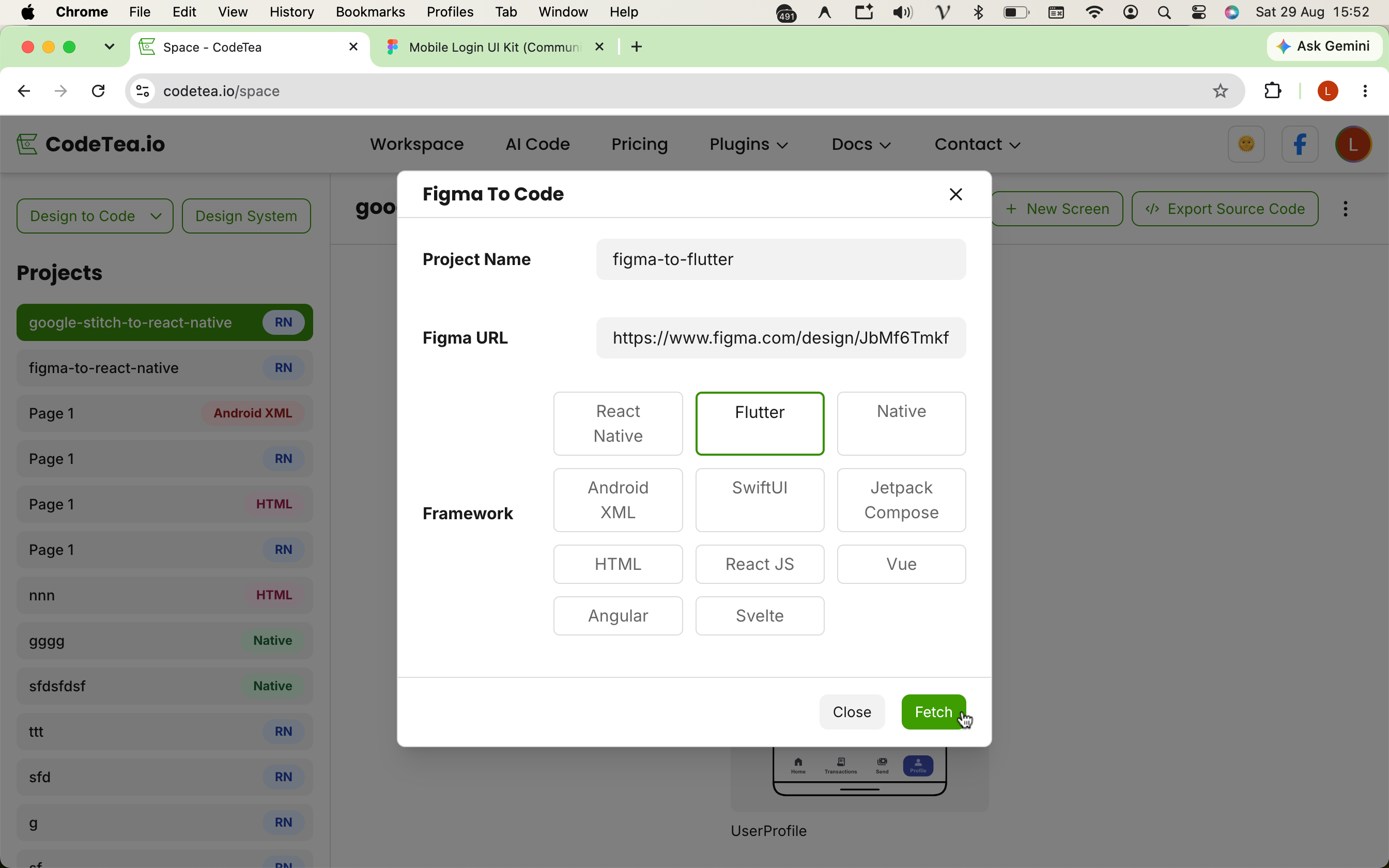
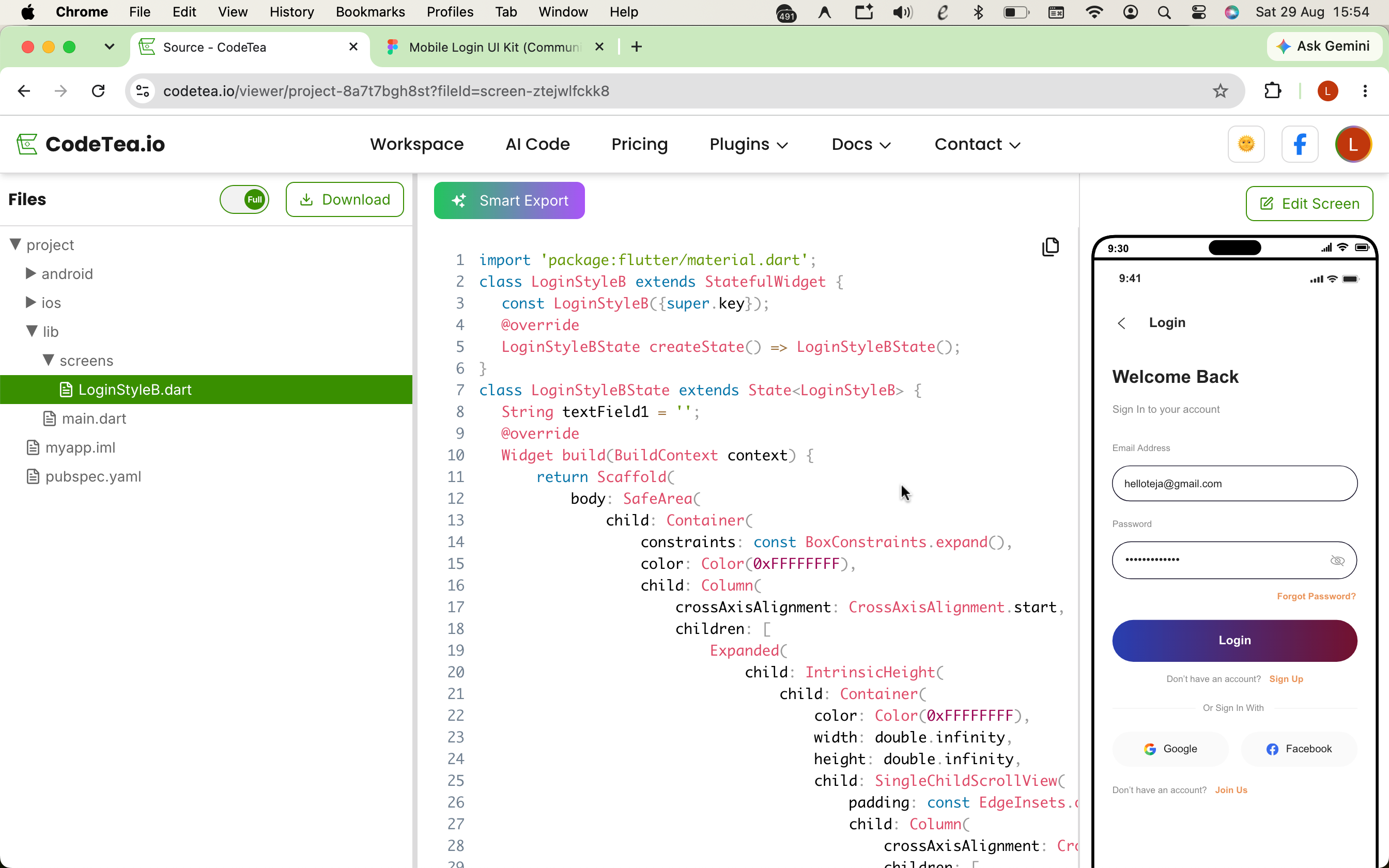
Step 1: Enter your project name, paste your Figma URL into CodeTea, select Flutter as the target framework, and click Fetch.
- Step 1: Input Figma URL: Enter your project name, paste your Figma link into CodeTea, select Flutter as the framework, and click Fetch.
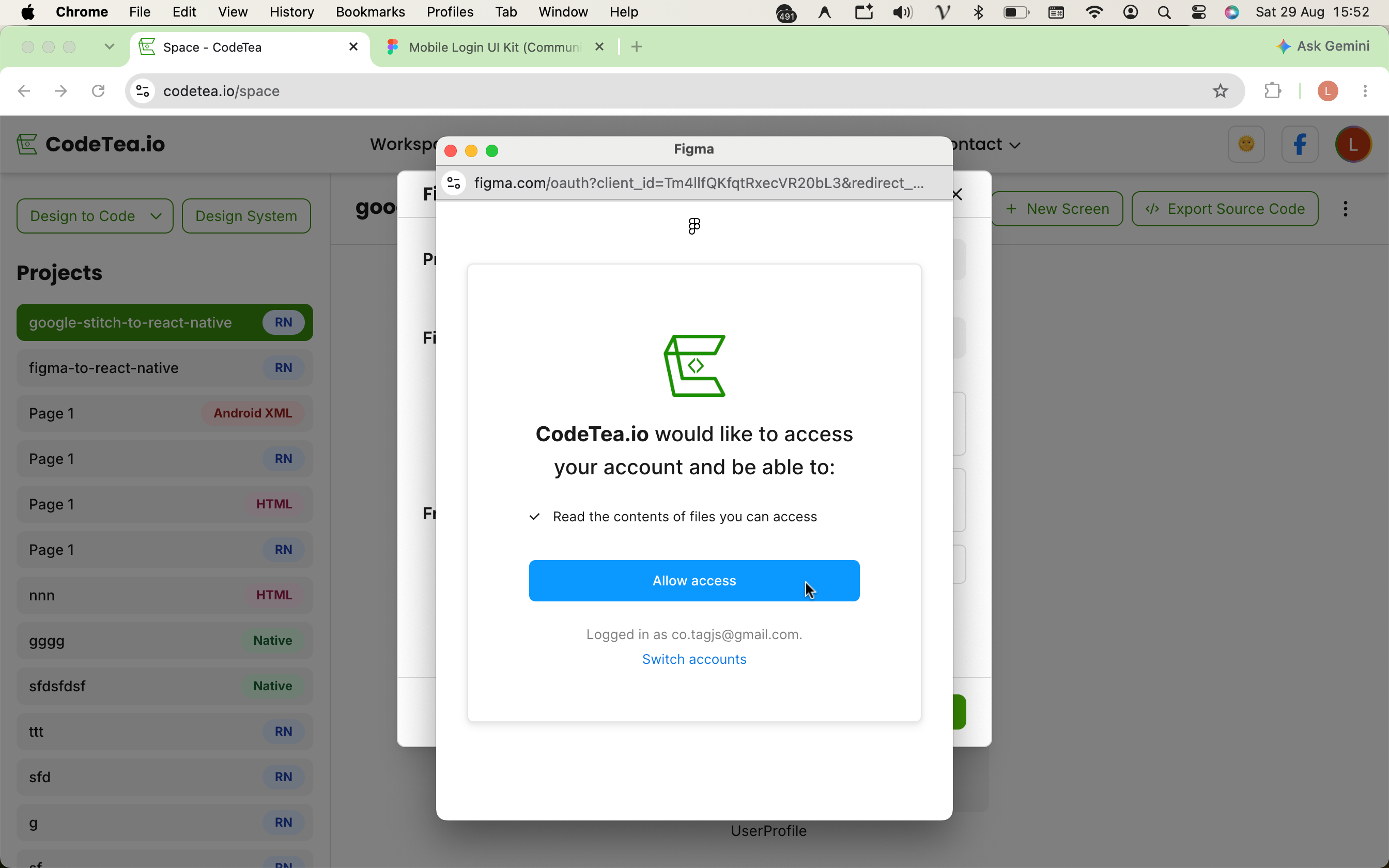
- Step 2: Grant Access: The system will prompt you for secure Read-only access to analyze and extract the Figma design data.
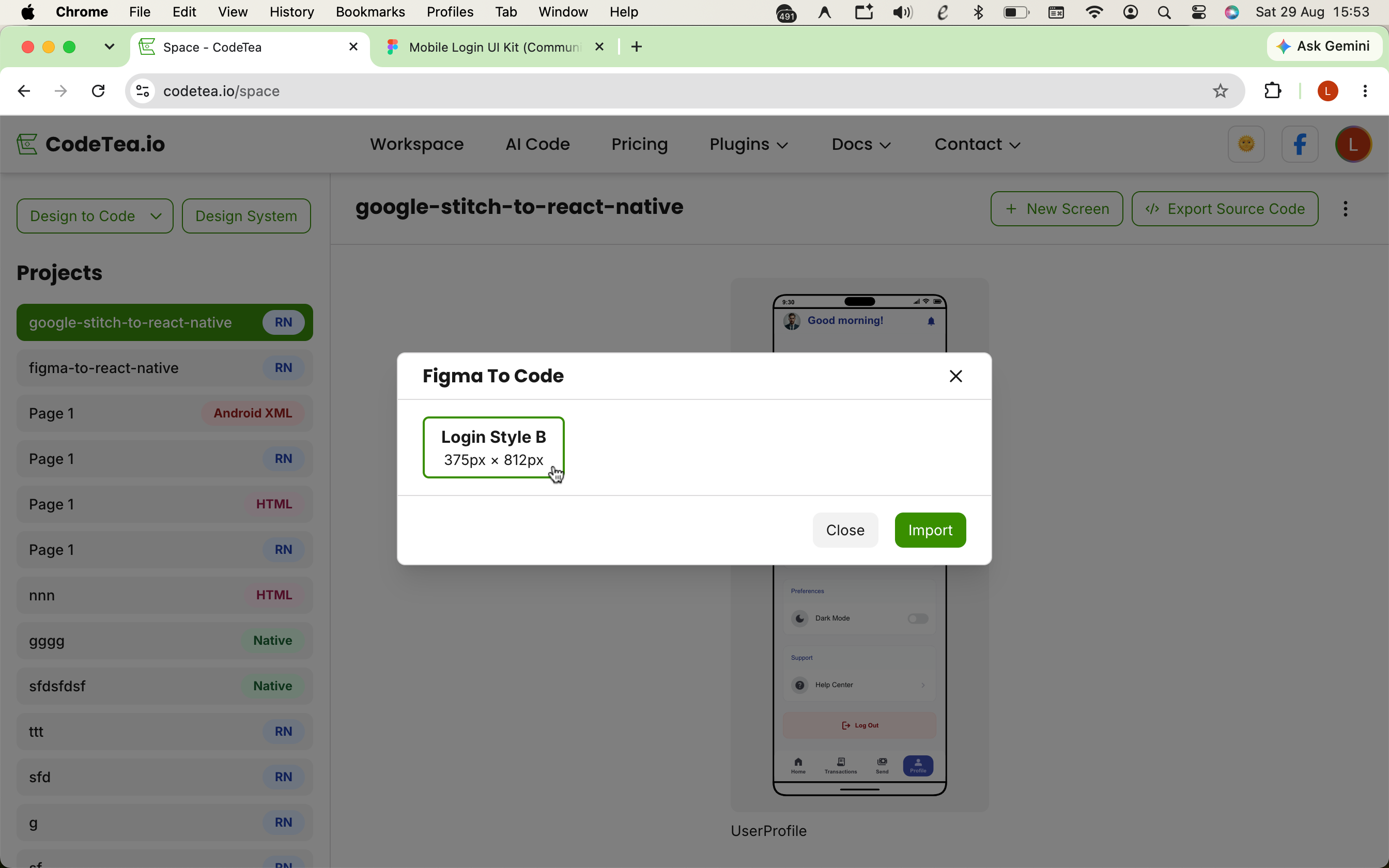
- Step 3: Select Target Screen: After fetching successfully, pick the specific Frame (screen) you want to convert and hit Import.
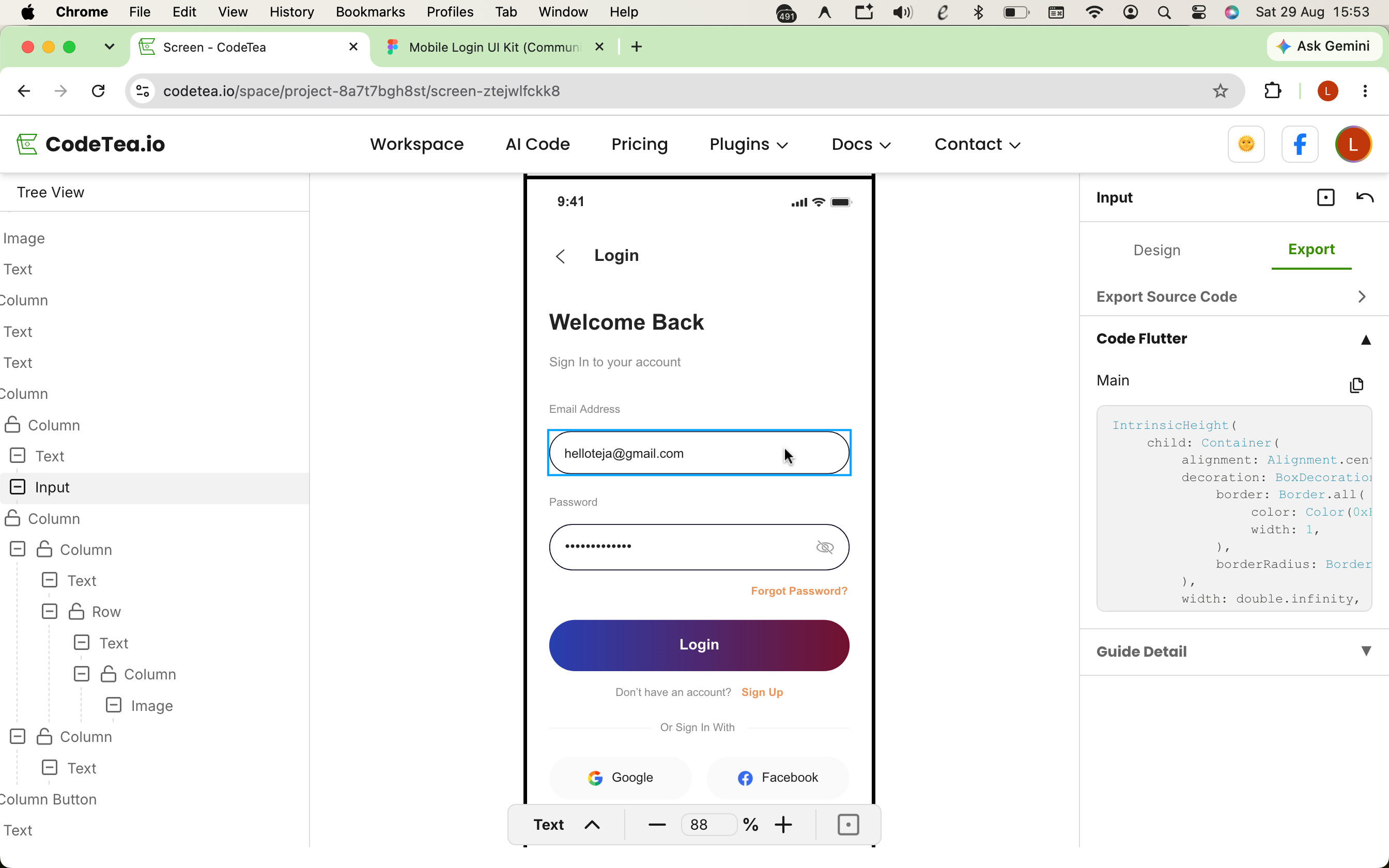
- Step 4: Extract Individual Widgets: Easily click on any interface component (like a product Card) to instantly preview its isolated Dart snippet.
- Step 5: Export Full Screen: With a single click, export the entire screen structure into clean Flutter source code, meticulously optimized with Row/Column architecture.
import 'package:flutter/material.dart';

// Auto-generated Flutter source code from Figma via CodeTea
class HomeScreen extends StatelessWidget {
  const HomeScreen({Key? key}) : super(key: key);

  @override
  Widget build(BuildContext context) {
    return Scaffold(
      backgroundColor: Colors.white,
      body: SingleChildScrollView(
        child: Column(
          crossAxisAlignment: CrossAxisAlignment.start,
          children: [
            // Header Section
            Container(
              padding: const EdgeInsets.fromLTRB(16, 48, 16, 16),
              color: const Color(0xFFF8F9FA),
              width: double.infinity,
              child: const Text(
                'Home',
                style: TextStyle(
                  fontSize: 24,
                  fontWeight: FontWeight.bold,
                  color: Color(0xFF111827),
                ),
              ),
            ),
            // Content Section
            Padding(
              padding: const EdgeInsets.all(16.0),
              child: Column(
                children: [
                  ClipRRect(
                    borderRadius: BorderRadius.circular(12),
                    child: Image.network(
                      'https://codetea.io/banner.png',
                      width: double.infinity,
                      fit: BoxFit.cover,
                    ),
                  ),
                  const SizedBox(height: 12),
                  const Text(
                    'Pixel-perfect UI/UX, fully responsive',
                    style: TextStyle(fontSize: 16, color: Colors.black87),
                  ),
                ],
              ),
            ),
          ],
        ),
      ),
    );
  }
}
5. Perfect Compatibility with the Flutter SDK
The generated code boasts absolute compatibility with the latest Flutter SDK releases (including strict Null Safety). We are committed to utilizing 100% native core Widgets from material.dart and cupertino.dart. This guarantees you will never be forced to bloat your pubspec.yaml file with proprietary or unreliable third-party libraries.
6. Real-world Performance Comparison
| Criteria | Manual Coding | Legacy Plugins | CodeTea (Flutter) |
|---|---|---|---|
| Row/Column Recognition | Visual estimation | Relies heavily on Positioned | Automated spatial analysis |
| Widget Tree Optimization | Dependent on Dev skill | Severely nested (Widget-soup) | Clean, shallow, & minimalist |
| Handoff Duration | Hours of grunt work | Fast, but requires rewriting | Computed in seconds |
7. Frequently Asked Questions (FAQ)
Are there any hidden automated charges?
No. The CodeTea system does not automatically deduct funds or quietly renew subscriptions, allowing you to manage your costs with complete peace of mind.
Is the exported Flutter code truly responsive?
Yes. Our algorithm translates Figma's static coordinates into Flutter's Flex layout system (Row, Column, Expanded), ensuring the UI stretches and adapts elastically across all mobile screen sizes.
Can I reuse the Widgets after exporting the code?
Absolutely. The generated source code is native Dart/Flutter. You can easily extract smaller Widgets, inject business logic, or hook up API calls effortlessly.
8. Conclusion
The seamless synergy between Figma and an intelligent automated code extraction pipeline is the "secret weapon" that empowers Flutter Developers to accelerate application delivery. Instead of wrestling with tedious layout scaffolding, you can now dedicate your mental bandwidth to writing robust, complex business logic.
Ready to shatter your productivity limits?
Stop wasting time on manual slicing. Start importing your Figma designs directly into pristine Flutter code today.